
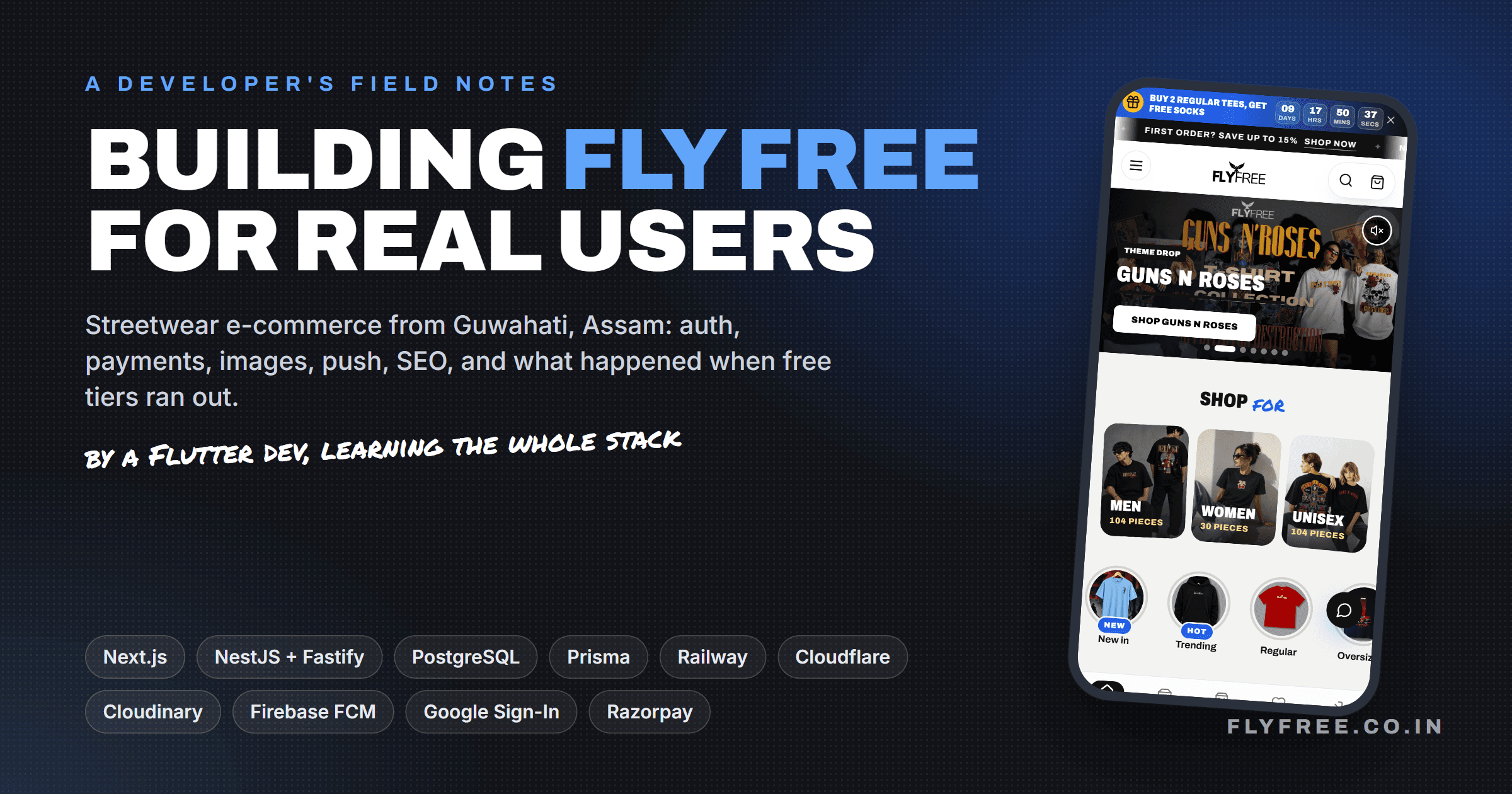
I'm a Flutter developer and a Flutter Kanpur contributor. Most of what I had built before lived inside an emulator. Fly Free was different. It is a streetwear brand from Guwahati, Assam, founded by Sneha Jyoti Naiding Shah, and its shop at flyfree.co.in takes real orders from real people.
One thing up front, because this is a Flutter community: the Fly Free web shop is not built with Flutter. The shop and admin are Next.js, and the backend is NestJS. I chose that because a store lives or dies on search engines and link previews, and server-rendered HTML wins there today. Almost everything below is about the parts behind the UI, though: auth, payments, images, notifications, hosting and cost. Those lessons apply to any Flutter app the moment it gets real users.
Building an app teaches you a framework. Running a product teaches you engineering.
What the product needs to do
A clothing store sounds simple until you list what has to work every day:
Shoppers: browse drops, filter by fit and style, pick a size, add to bag, pay, track the order.
The crew (admins): add products with variants and stock, run campaigns and coupons, pack and ship orders, answer reviews.
Creators: influencers get their own code and a "creator picks" section, and share products to their Instagram Stories.
Every one of those needs a backend, a database, image hosting, sign-in, payments, and a way to tell people things.
The architecture
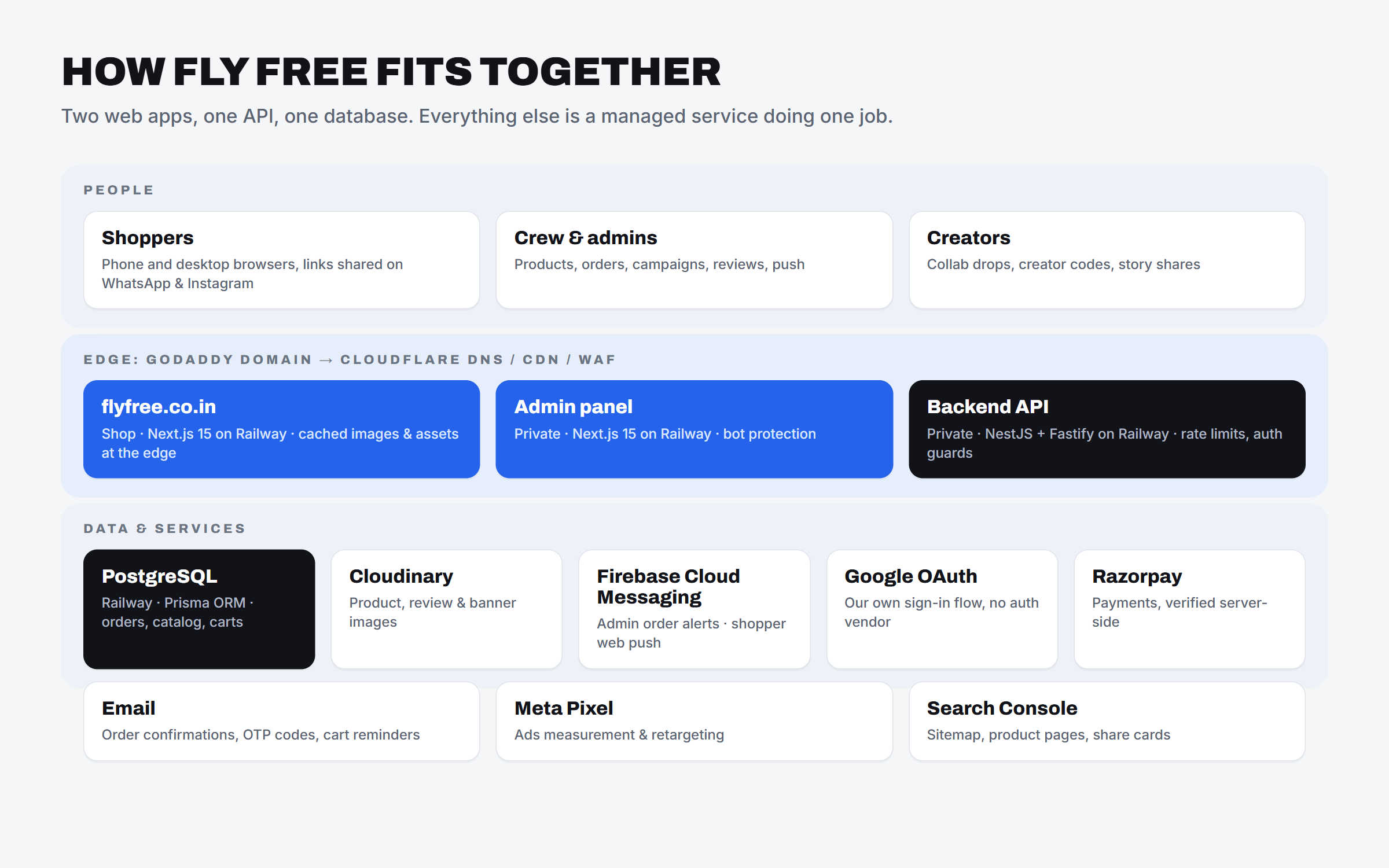
Two web apps, one API and one database. Everything else is a managed service doing one job:
Shop + admin: Next.js 15. Server-rendered pages for SEO and link previews.
API: NestJS on Fastify, Prisma ORM. Typed modules, guards for auth, fast.
Database: PostgreSQL on Railway. Orders need real relations and transactions.
Images: Cloudinary. Resized per screen, served from a CDN.
Sign-in: Our own Google OAuth flow. No auth vendor in the middle.
Payments: Razorpay. UPI and cards; verified on the server.
Notifications: Firebase Cloud Messaging. Order alerts for admins, web push for shoppers.
Edge: GoDaddy domain → Cloudflare. DNS, CDN cache, SSL, bot protection.
If you build the Flutter version of this app, the layering is the same one we use in Flutter every day:
Widgets → State (Bloc / Riverpod) → Repositories → REST API
The Flutter app would talk to the same API. Nothing in the backend cares whether the client is a browser or a phone.
The infrastructure story: every move was forced by a limit
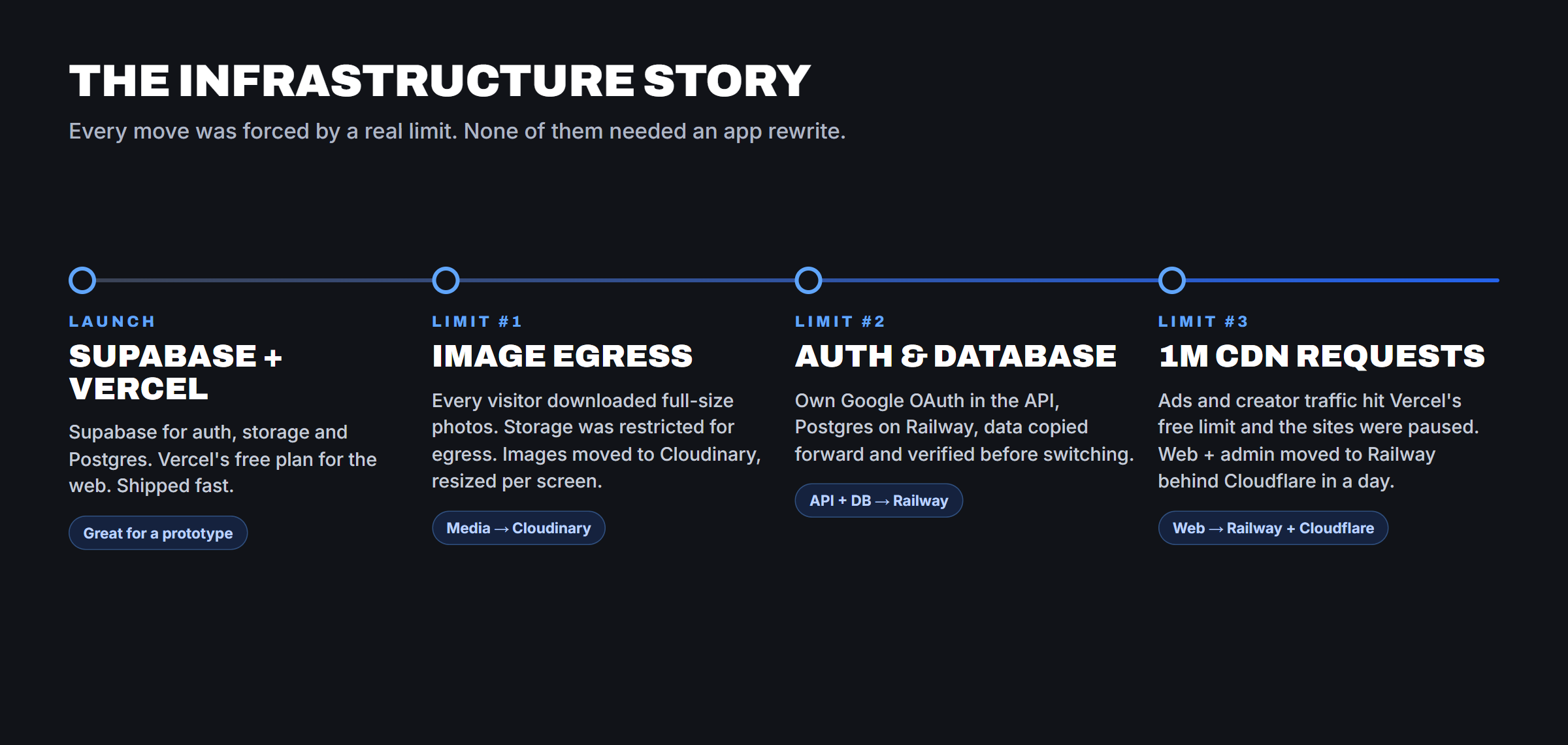
1. Launch: Supabase + Vercel
We started the way most side projects do: Supabase for sign-in, storage and Postgres, and Vercel's free plan for the website. It was fast to ship, and that was the right call at the start.
2. Limit #1: image egress
Free tiers count bandwidth, not just storage. Our product photos were served full-size, straight from storage, so every visitor downloaded every original on every page view. The storage project went far over its egress quota and was restricted.
The fix: move media to Cloudinary, and never send a phone a 2400px image to show a 300px card. Each image is requested at the width the screen actually needs.
In Flutter terms, this is cacheWidth and resized URLs for Image.network, not loading originals into a GridView.
3. Limit #2: auth and the database
We moved the database to Postgres on Railway and wrote our own Google sign-in in the API. That's a small amount of OAuth code, and one less vendor that can break login.
The rule for the data move was simple: never touch the source database. Copy forward, verify row counts table by table, keep the old one running, and only then switch.
4. Limit #3: one million CDN requests
Then the marketing started working. Meta ads and creator posts brought traffic, link previews got fetched by every chat app, bots crawled every product, and the shop called its API through the web host. In one month we crossed 1,000,000 CDN requests on Vercel's free plan, and both sites were paused for 30 days.
We moved the shop and admin to Railway next to the API, then put Cloudflare in front:
Point the GoDaddy nameservers to Cloudflare.
CNAME the domains to Railway, with DNS-only records first.
Turn the proxy (orange cloud) on once Railway verified the domains.
Set SSL to Full. Never "Flexible", which causes redirect loops.
It was back online the same day, and no app code changed except the start commands.
Two things that bit us:
Bot protection can break server-to-server calls. Right after we switched Cloudflare's bot protection on, the admin login started returning 403. Cloudflare was showing a "prove you're human" challenge to our own servers and to the payment gateway's callbacks, and a server can't solve a browser challenge. The lesson: decide per service what sits behind a browser challenge, and give machine-to-machine traffic its own protection, such as rate limits and signed requests.
The edge doesn't cache everything by default. Product images resized by Next.js were not being cached by Cloudflare. One cache rule for that path took them from "resized again for every visitor" to served from the edge.
Free tiers are a great way to start and a terrible thing to forget about. Watch the usage page before it becomes an outage.
The shopper side
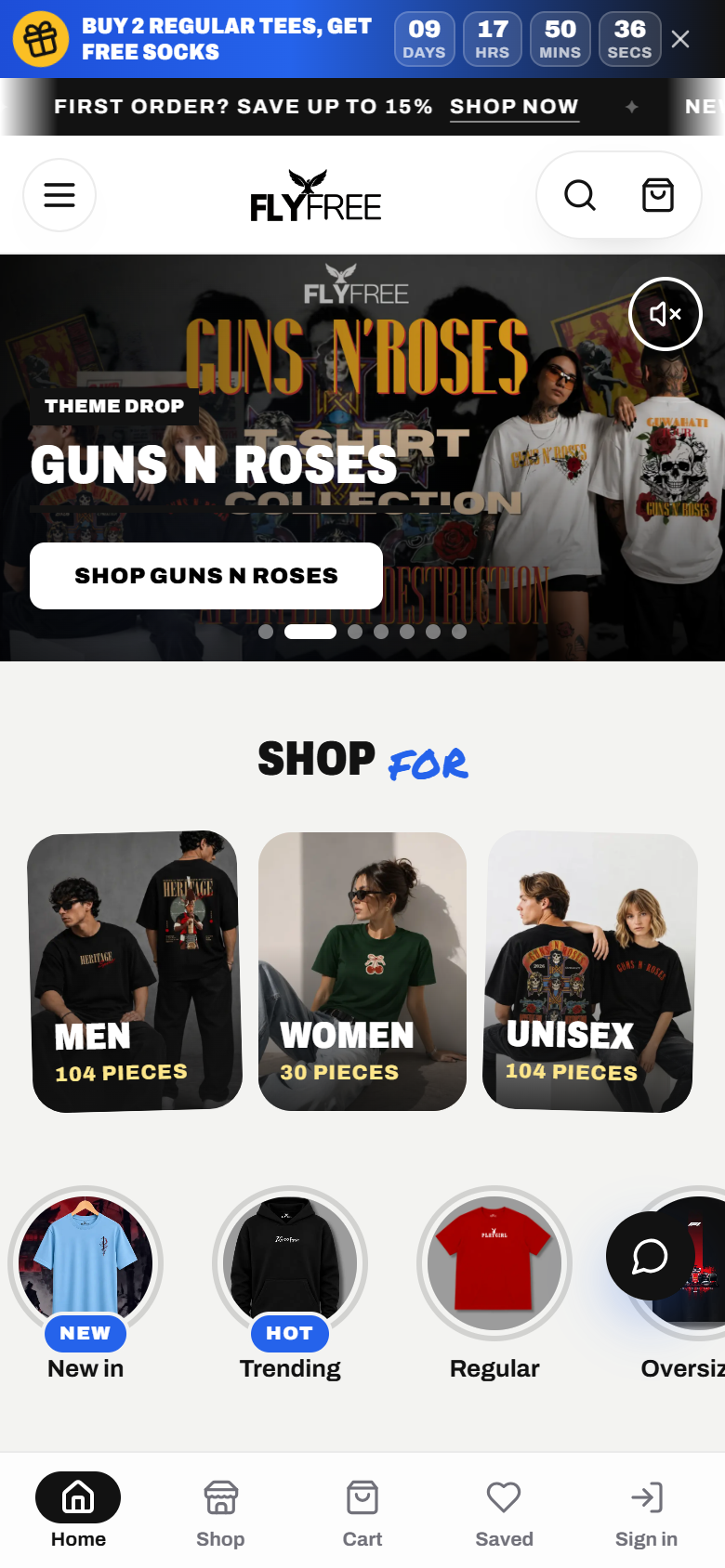
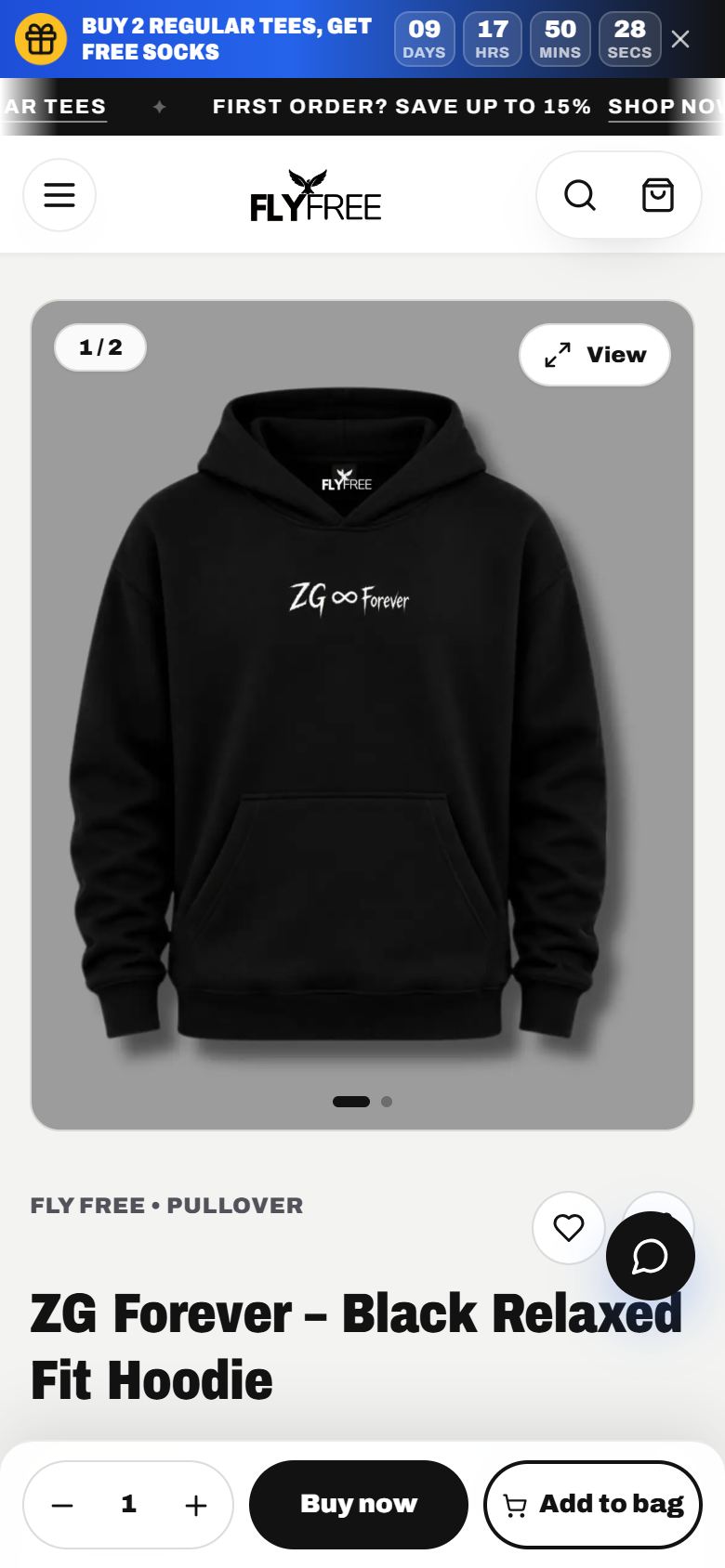
Most of our traffic is mobile and arrives from Instagram, so the shop is built phone-first:
Sign-in: Google first, with email as a fallback. Six-digit code boxes accept paste and auto-advance, and resend has a countdown.
Bag and checkout: a clear price breakdown. Item total, discount, delivery and the final amount are all recomputed on the server. The browser only ever sends product IDs, quantities and a coupon code. Never trust a price the client sends you; this is just as true for a Flutter app.
Payments: an order row is created only after Razorpay confirms the payment and the signature is verified on the server, so the orders table holds only paid orders.
Delivery: tracked shipping across India by Delhivery and India Post Speed Post.
Sharing is a growth feature
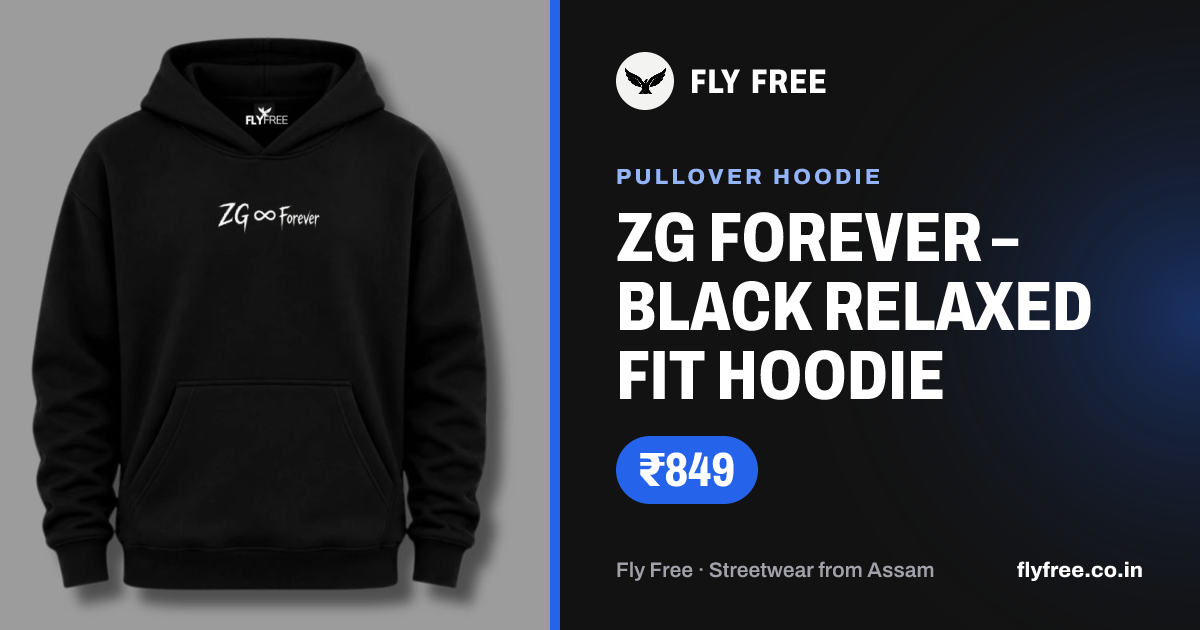
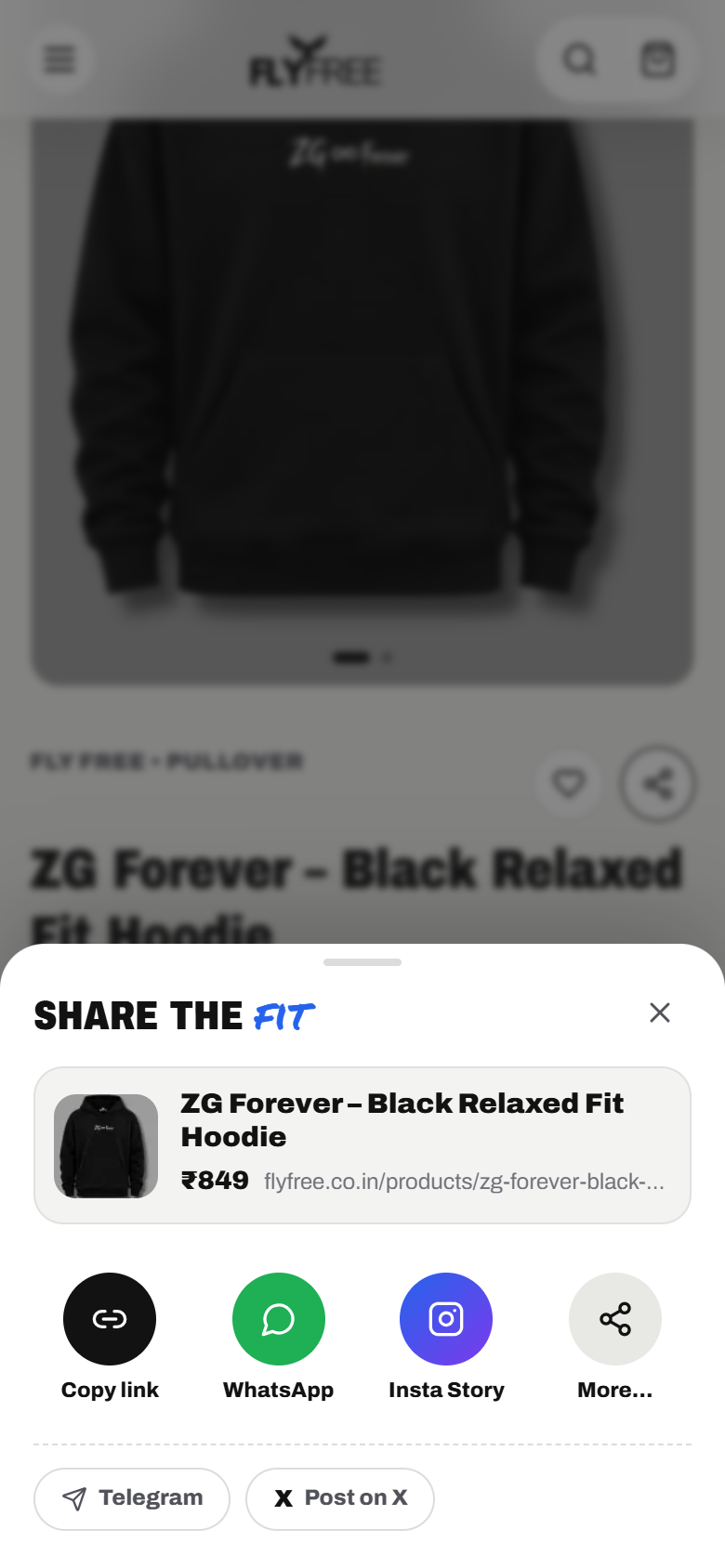
When someone pastes a product link into WhatsApp, the preview is the ad. Every product page generates its own preview card on the server: photo, name, price and brand.
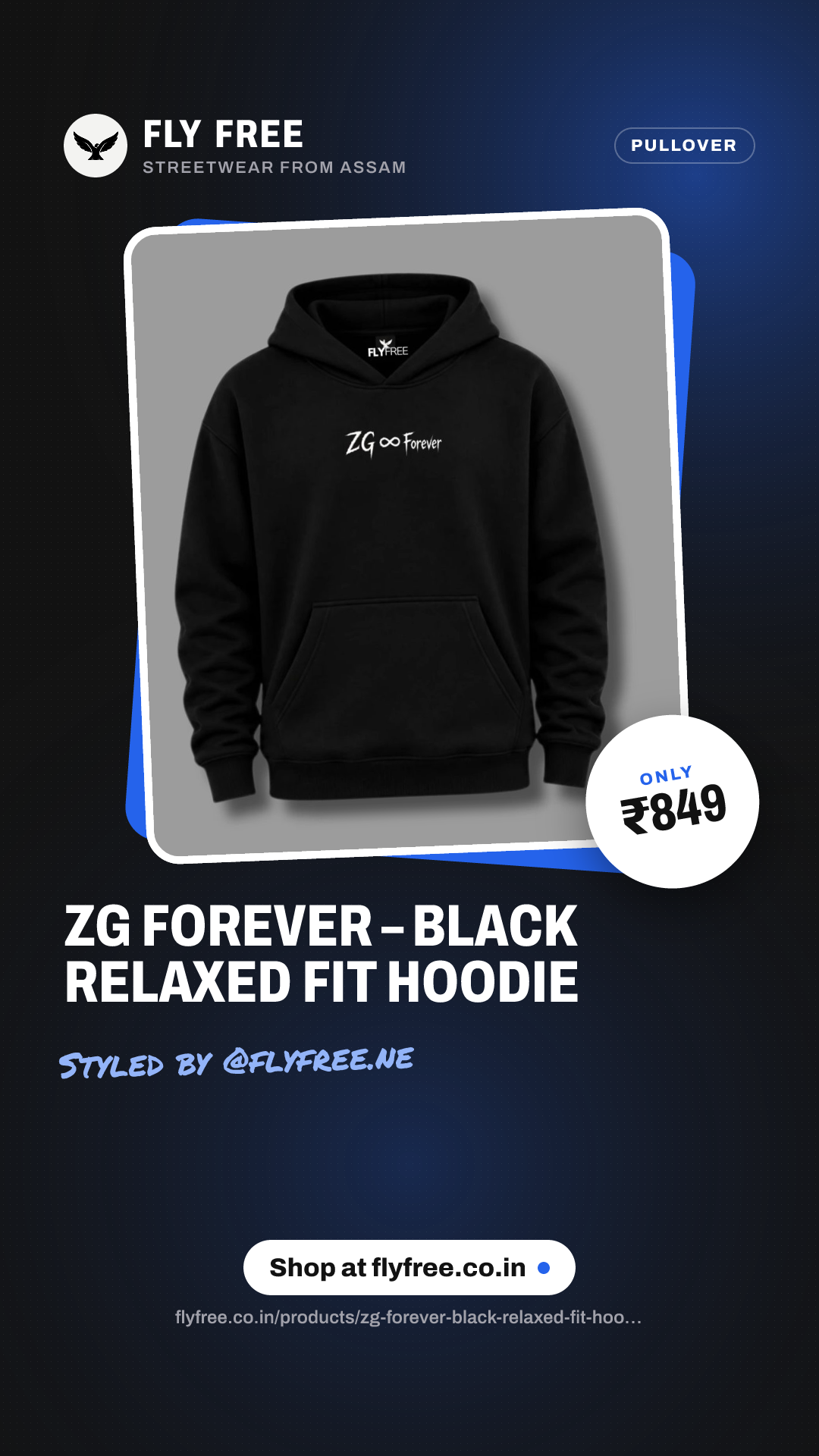
Creators wanted to post products to their Stories, so the share sheet also generates a 1080×1920 Story image with an optional "Styled by @creator" line. On phones it opens the system share sheet with the image attached, so Instagram is one tap away.
The Flutter equivalent is share_plus with an XFile, rendering the card with a RepaintBoundary to a PNG.
The admin side
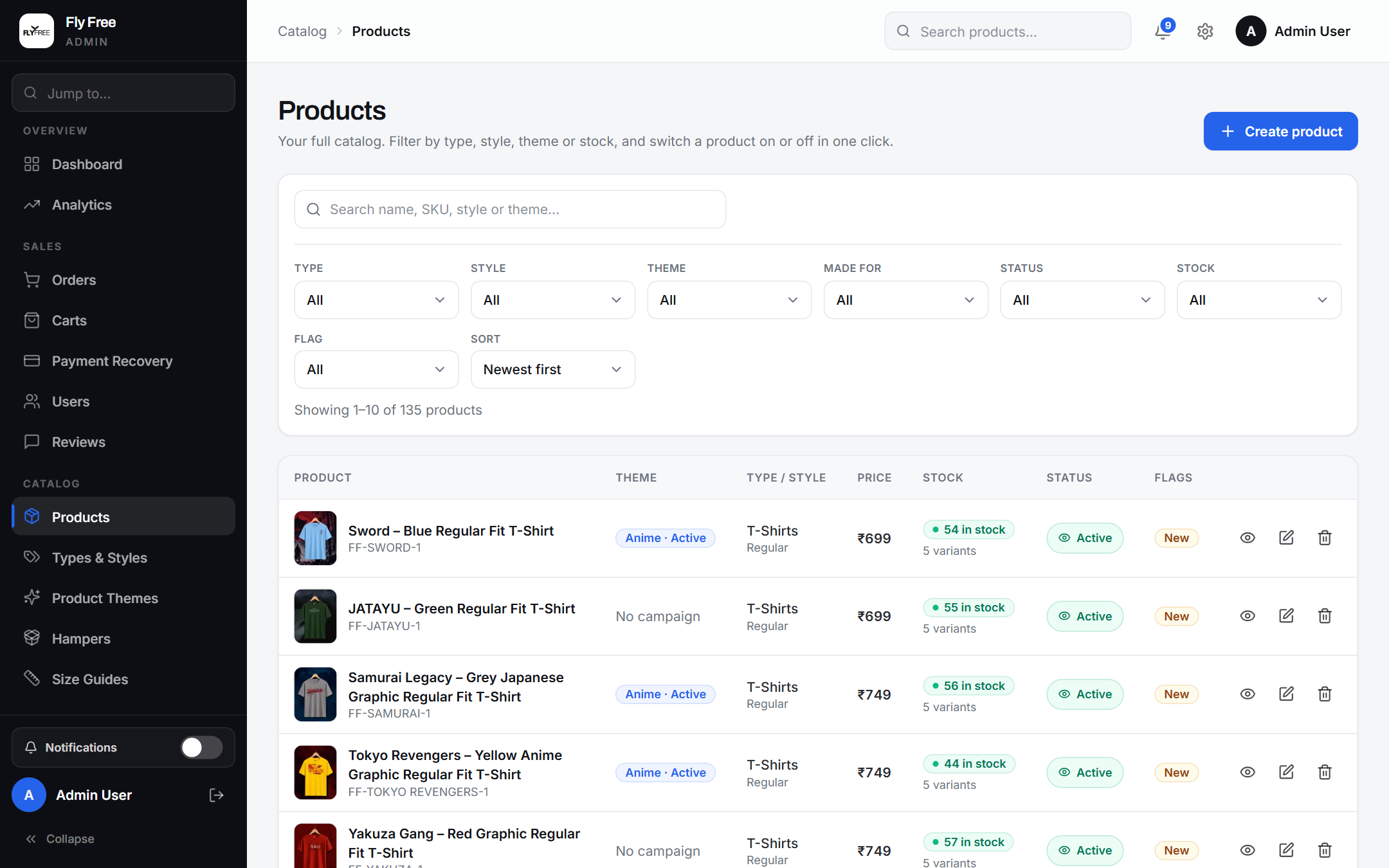
The admin is where the business actually runs:
Products: types, styles, sizes and stock per variant, plus campaign themes and filters, with pagination over the whole catalog.
Orders: paid orders only, status updates, invoices, and a recovery screen for payments that succeeded but whose order failed to create.
Campaigns and offers: one campaign live at a time (a ₹999 bundle, a festival theme), each with a hero banner, countdown and announcement strip. Coupons can be tiered by style.
Creators: each creator gets a code, a set of products they promote, and tracked referrals.
Reviews: customer reviews need approval. The crew can also post a creator's review on their behalf, with their photos, marked "Crew pick".
Brand & Team: the About page, with the story, values and team, is edited here, not in code.
A small lesson from the admin: our API returns at most 100 products per page. One product picker asked for 500, quietly received 100, and the newest products could never be found in search. Anything that "loads everything" has to actually page through everything.
Notifications that people don't hate
We use Firebase Cloud Messaging in two directions:
To the crew: every new order, sign-up and low-stock alert arrives as a push on the admin's phone, even with the admin closed.
To shoppers:
We never show the browser's permission prompt on page load. After someone adds an item to their bag, a small in-page card asks whether they'd like a ping when their size runs low. Only if they tap Allow do we call the real permission prompt.
Their device token is saved (guests too) and linked to their cart.
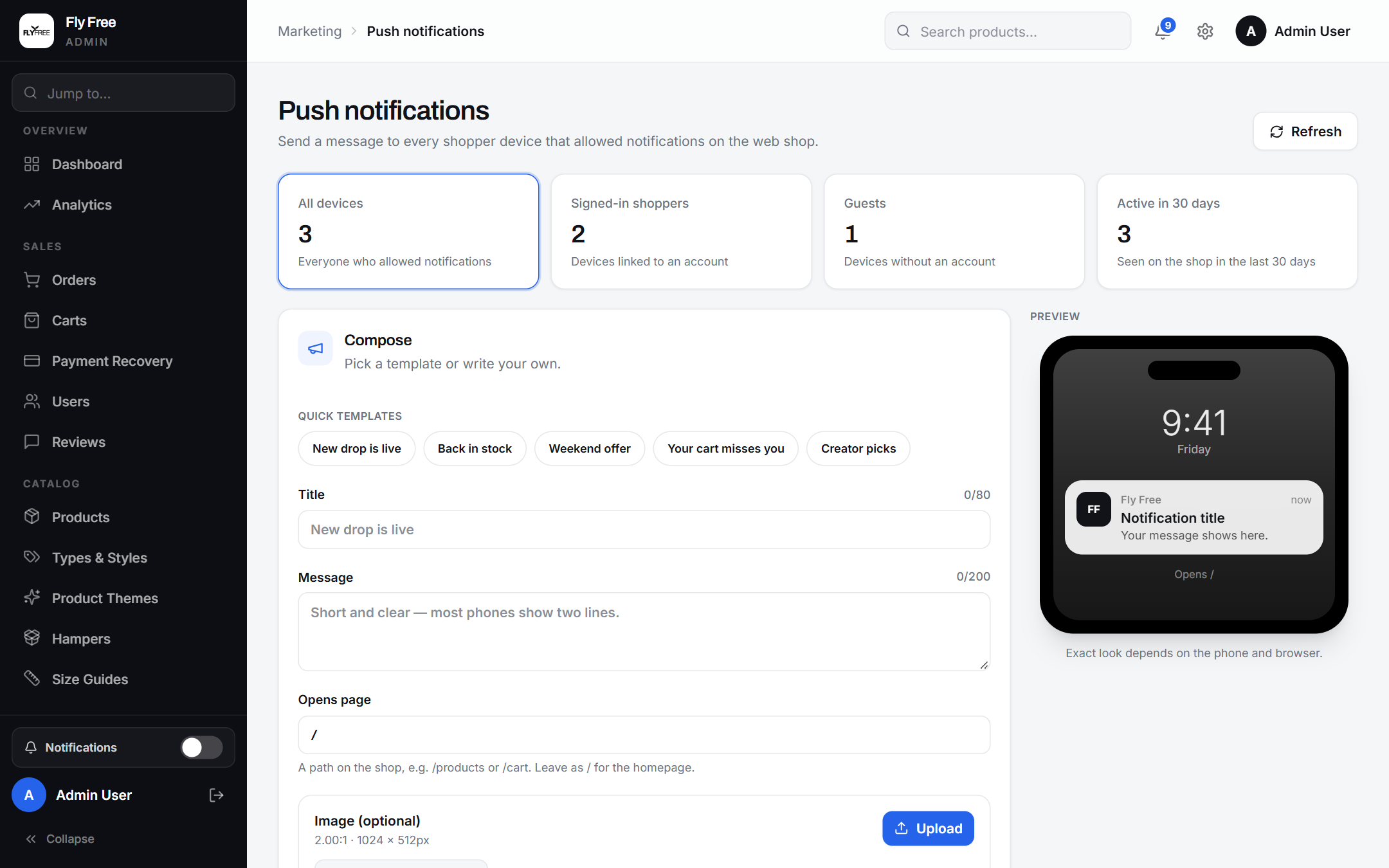
From the admin, the crew can send a cart reminder to one shopper, or a broadcast with a phone preview, an audience (everyone, signed-in shoppers, guests, active in the last 30 days) and a confirmation step.
The rule we follow: one useful notification beats five loud ones. In Flutter it's the same firebase_messaging package. Ask at a meaningful moment, deep-link to the exact screen, and respect "Not now".
Security is a feature
A shop handles addresses, payments and accounts, so we ran a full security review and fixed what it found. The principles that matter for any app, Flutter or web:
Authorization on the server, always. Hiding a button is not access control.
Rate-limit anything that can be guessed: logins, OTP codes, coupon and voucher lookups.
Never send password hashes or internal fields to any client, even an admin one.
Treat every input as hostile: coerce types, validate quantities, and keep redirects on your own site.
Don't let one bad network rule lock out your own servers. See the Cloudflare story above.
SEO and brand
Every product has a readable URL, a title and description, structured data, and its own share card.
A sitemap with every product and category, submitted to Google Search Console, plus a Google Business Profile for Guwahati.
The brand story and team live on the About page, edited from the admin.
Pages are re-rendered on a timer, so new drops show up without a redeploy.
What I'd tell other Flutter developers
Learn what sits behind your UI. Auth, payments, image delivery and push decide whether users stay.
Price, stock and permissions live on the server. The client only asks.
Images are your biggest bill. Resize them, cache them, and never ship originals to a list.
Free tiers are a starting line. Put a reminder on your calendar to check usage pages.
Ask for permissions at the right moment. It's the difference between "Allow" and "Block".
Keep infrastructure swappable. We changed hosts three times without rewriting the app, because the domain, API and database were separate pieces.
Tutorial projects teach features. Real projects teach responsibility.
About Fly Free
Fly Free is a streetwear brand from Guwahati, Assam, founded by Sneha Jyoti Naiding Shah. Every piece is designed, printed and packed in Assam, with drops made alongside creators from the Northeast.
Shop: flyfree.co.in
Instagram: @flyfree.ne
Facebook: Fly Free
About me
Biswajit Das: Flutter developer, Flutter Kanpur contributor, and the developer behind flyfree.co.in.
LinkedIn: Biswajit Das | LinkedIn
GitHub: UprightBiswa (Biswajit Das)
Instagram: Instagram